RPM
Track live speed using the vibration signature created while the top is running.
TopSpin 1.0 · Android
TopSpin turns an Android phone into a compact spinning-top test instrument, measuring RPM, elapsed spin time, decay and relative vibration across the full run.
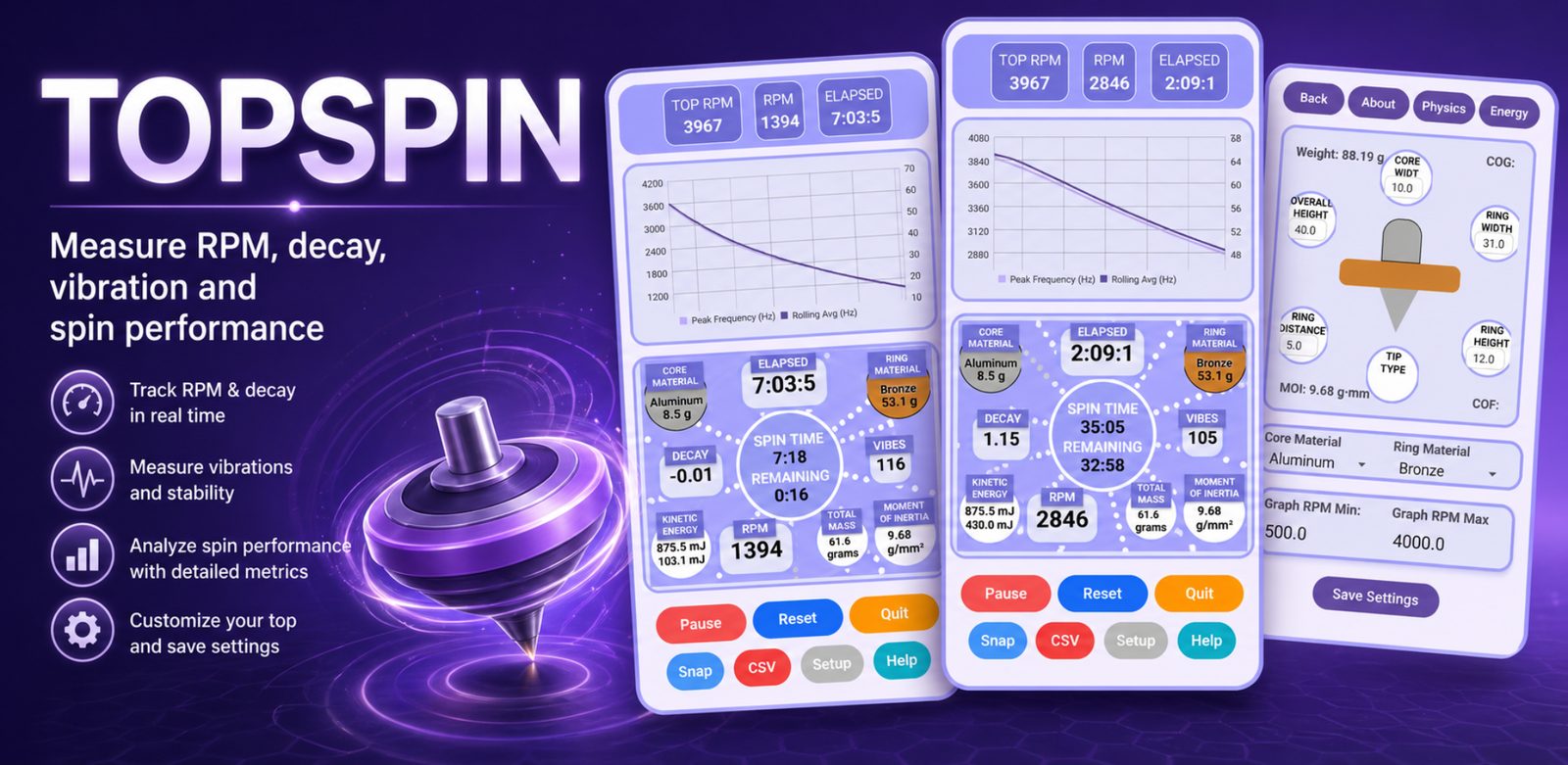
Download TopSpin for Android and start measuring RPM, vibration, spin decay, and full-run performance with the phone you already have.
Spin time is only one part of performance. TopSpin lets you see the speed curve and the vibration behaviour together, so repeated launches and different tops can be compared on more than a single finish time.
Track live speed using the vibration signature created while the top is running.
Follow the full run, total elapsed time, and how quickly RPM falls as the top slows.
Watch the VIBES trace for quiet sections, launch behaviour and repeatable vibration landmarks.
Run the same top more than once, compare the graphs, then share completed screenshots to the results database.
Support the phone on soft pads or foam, use the bubble level to get the phone and spinning surface flat, then spin on a small clean concave glass or another suitable surface.
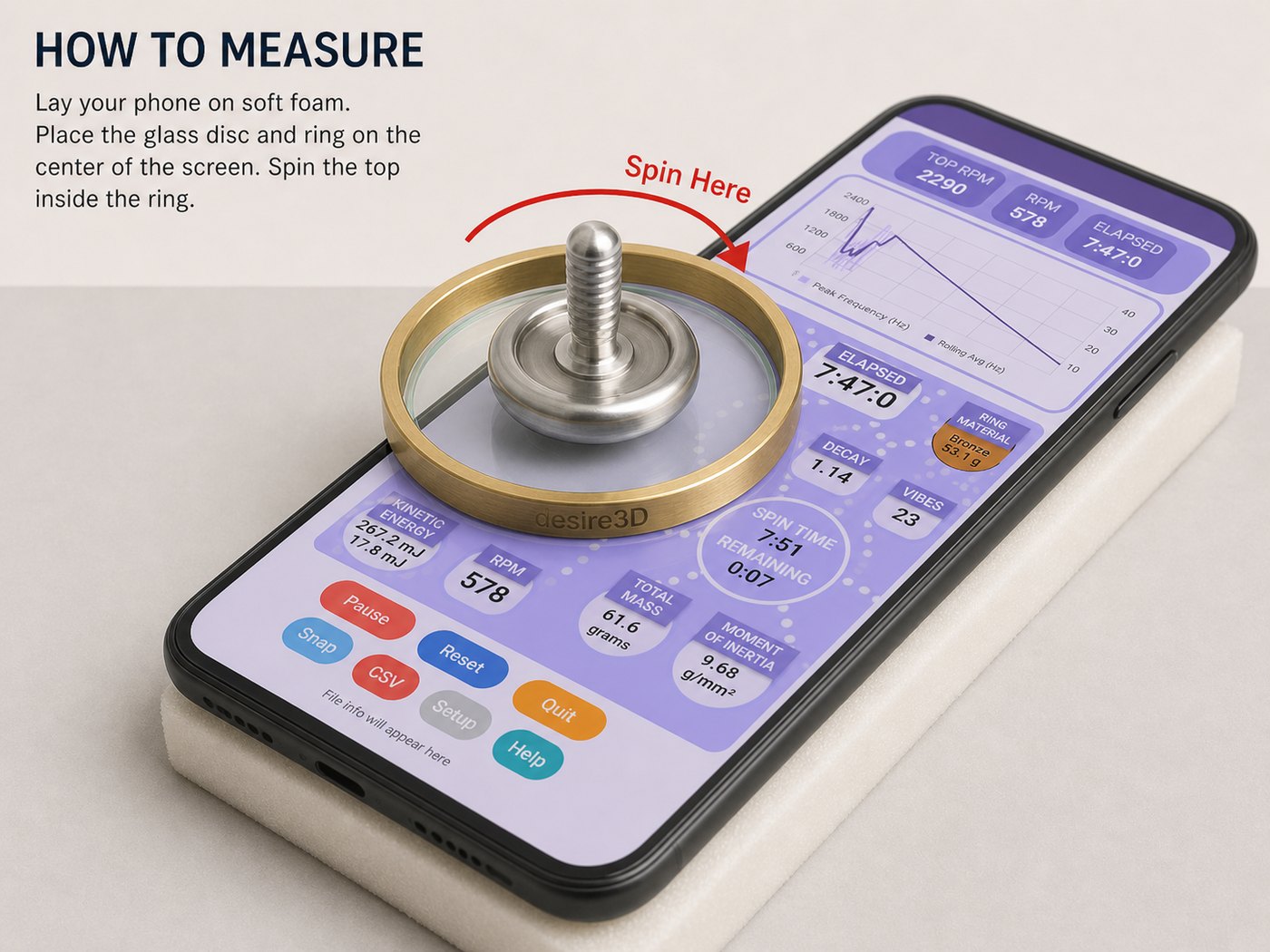
Support the phone securely, level it with the on-screen bubble, then place a clean stable spinning surface on the phone. A small concave glass or lens works well.
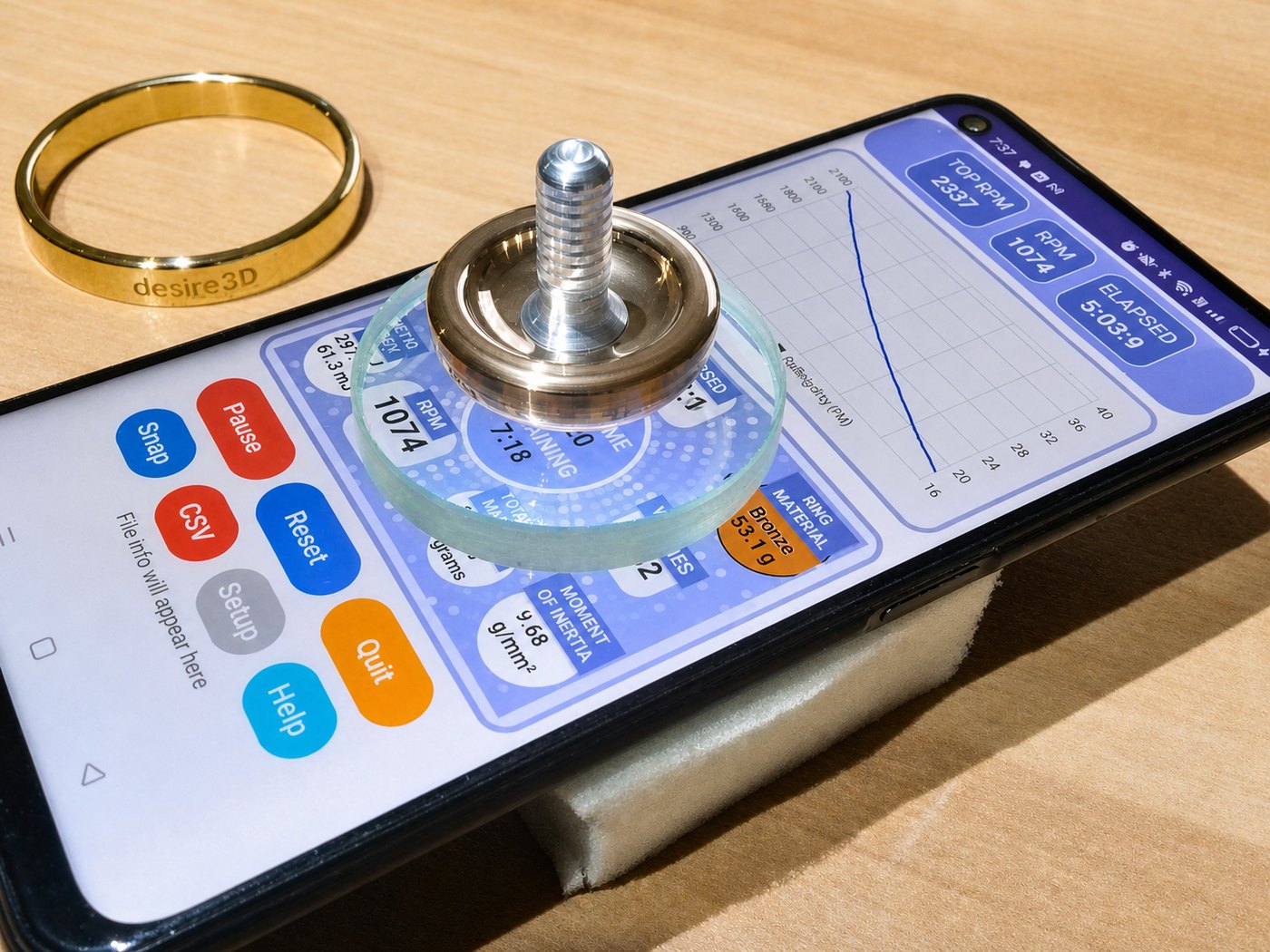
The exact support can be simple. The useful parts are a level phone, a clean spinning surface, good vibration coupling and a setup that stays still through the run.
These images show the real phone setup and the TopSpin interface during a run. They are useful for explaining how the physical test arrangement connects to the live RPM, vibration, and decay data.
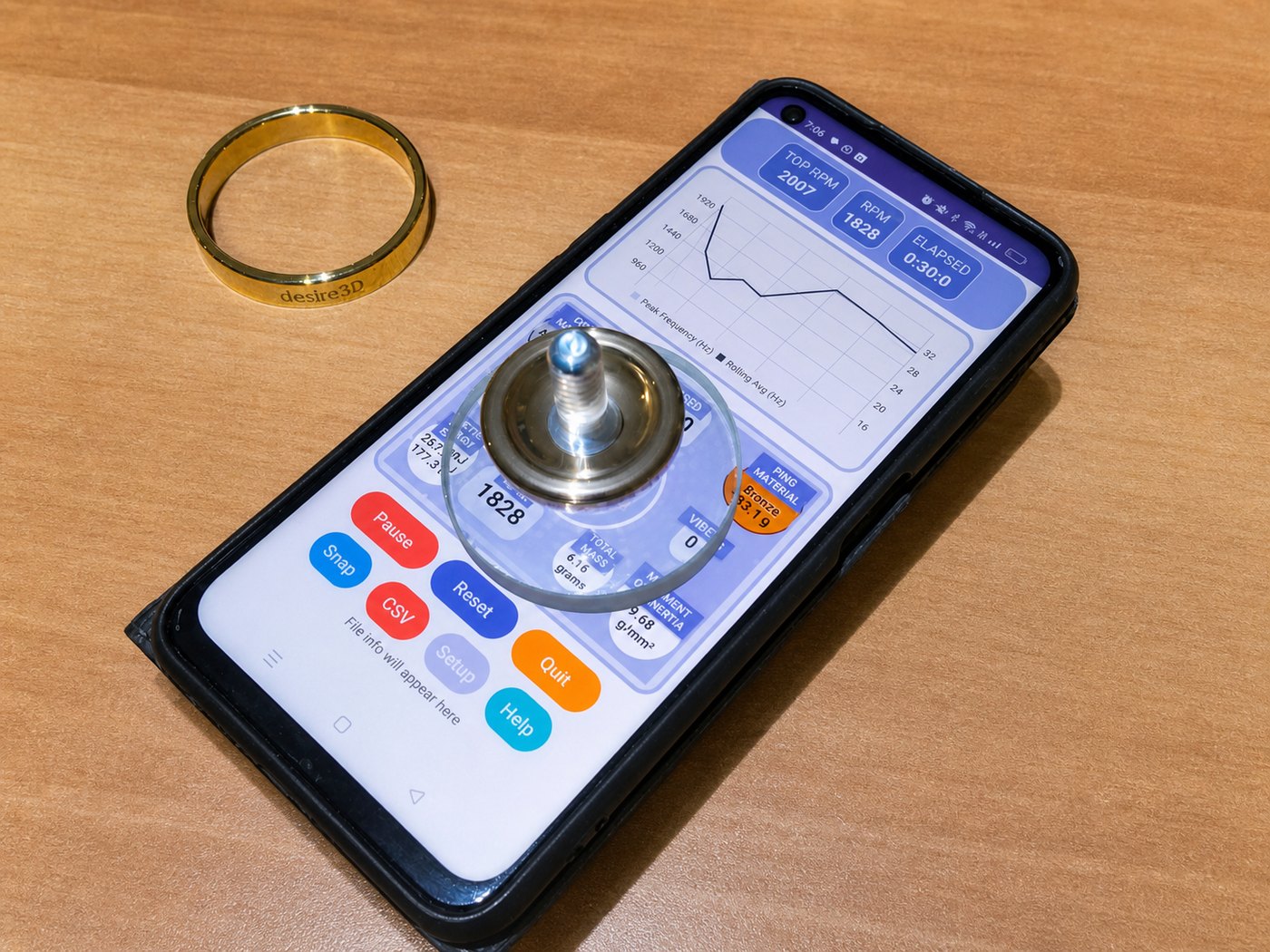
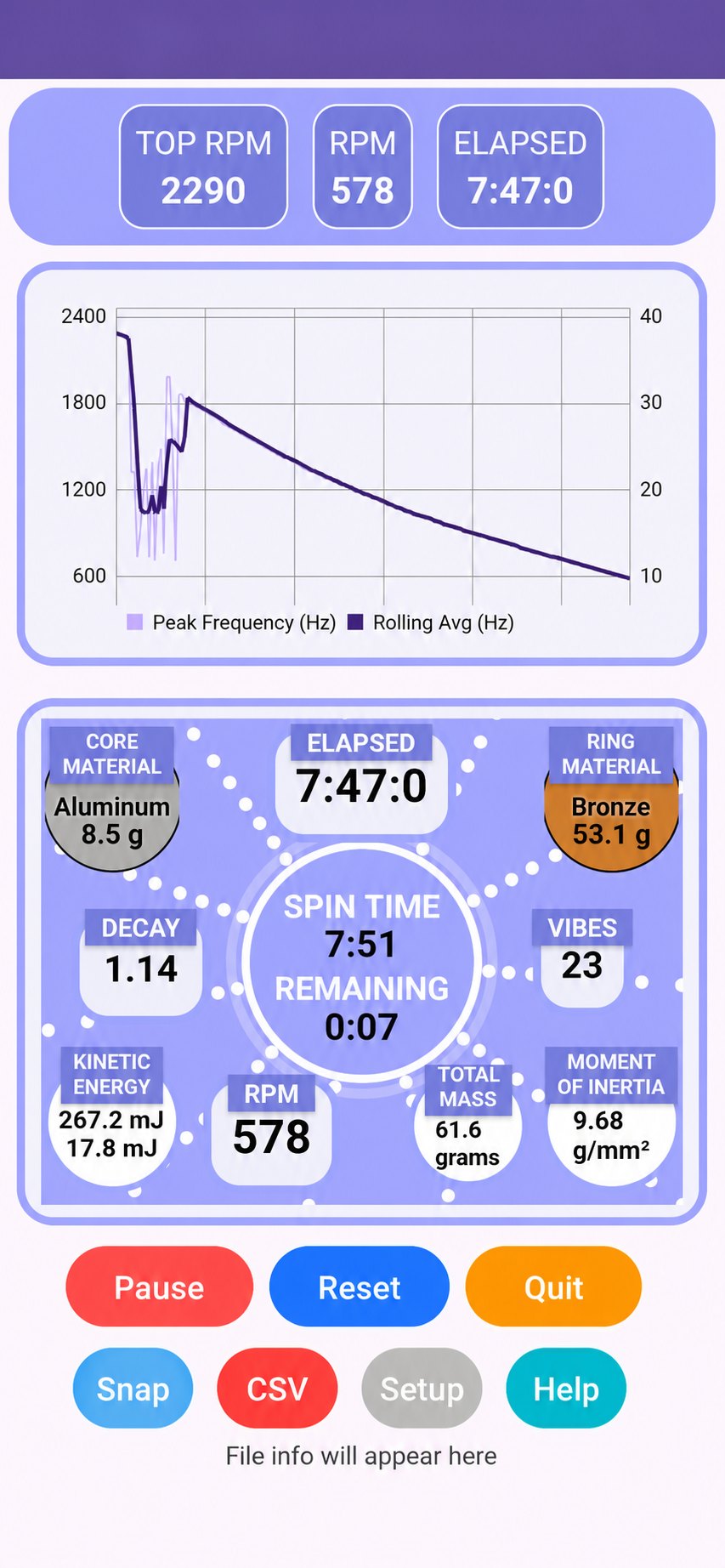
TopSpin combines RPM, elapsed time, decay, vibration, material notes, and calculated values into one screen.
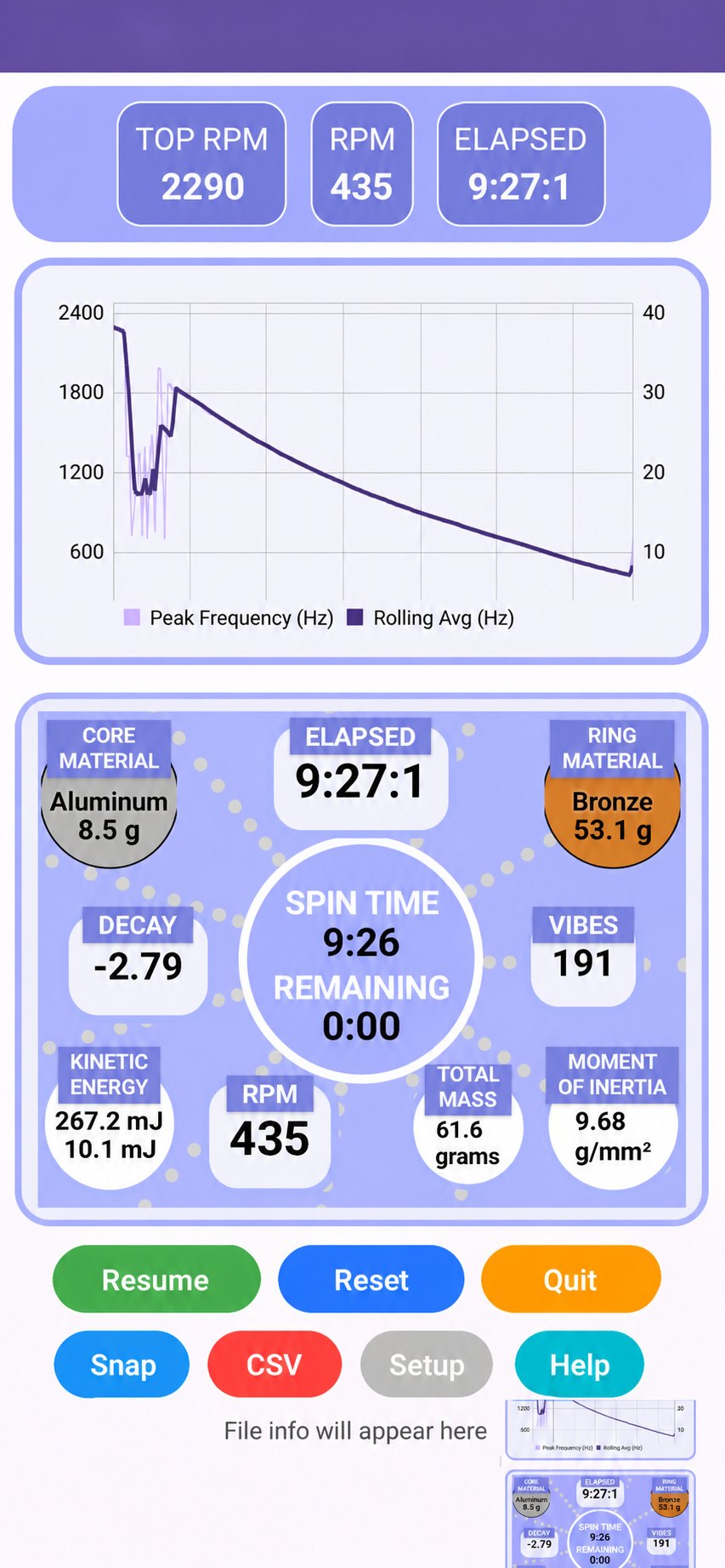
Later in the run, changes in RPM and vibration help show how the top behaves as it slows down.
A steady rotating machine makes a useful reference because its speed does not decay like a free-spinning top. In this bench check, a Verbatim 47551 mechanical hard drive rated at 5400 RPM repeatedly settled at 5407 RPM in TopSpin.
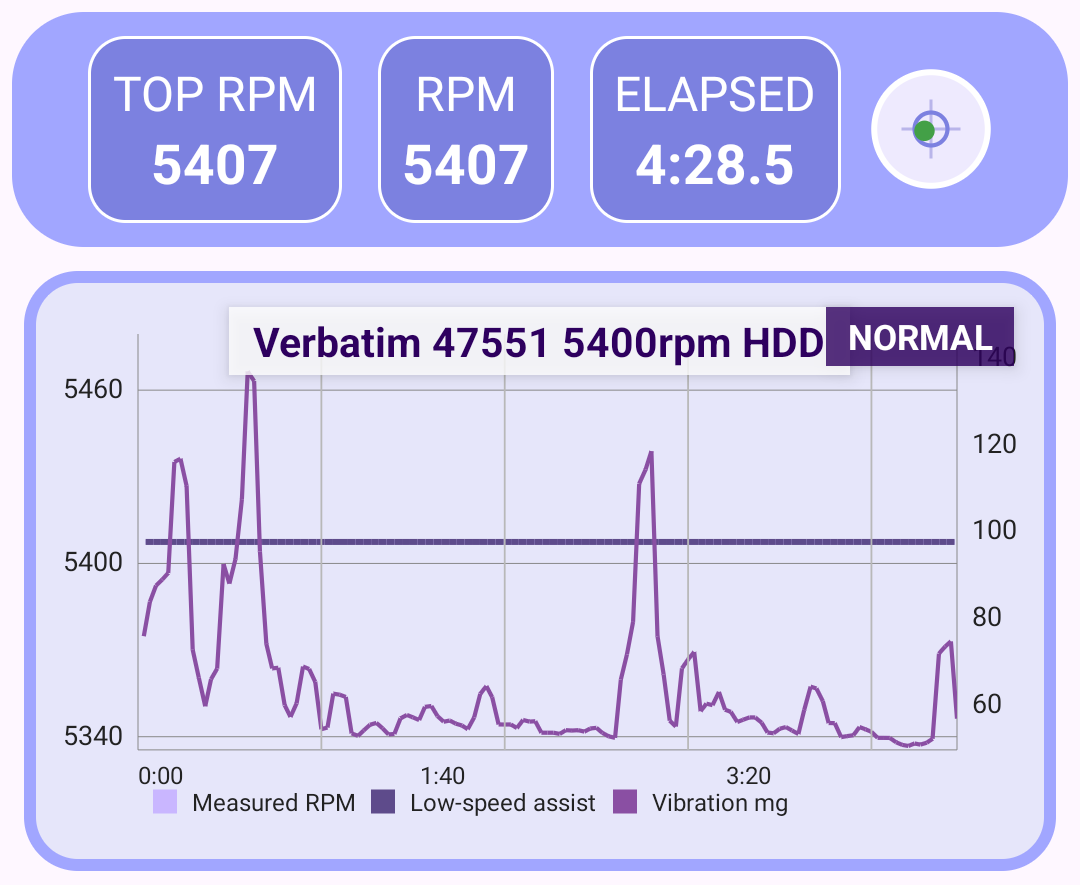
The best comparisons come from treating the setup like a small measuring instrument. Level it, clean the tip and glass, keep outside vibration low, and use a repeatable launch.
A quick guide for Android users, spinning top collectors, and makers who want to test spin time, RPM behaviour, vibration, and repeatability.
TopSpin sits beside the physical side of Desire3D: machined tops, material testing, sensor experiments, and practical workshop development.
How phone sensors can read vibration and reveal behaviour during a spin.
Read the scienceBalance, materials, surface contact, and the long history of tops as precision objects.
Learn about topsPhotos and videos of finished tops, machining, testing, and workshop experiments.
View the galleryBrowse real submitted TopSpin runs grouped by top name, with the original screenshots kept beside the data.
Browse TopSpin resultsTopSpin is part of the same workshop process as the tops themselves: design, make, measure, compare and keep improving.